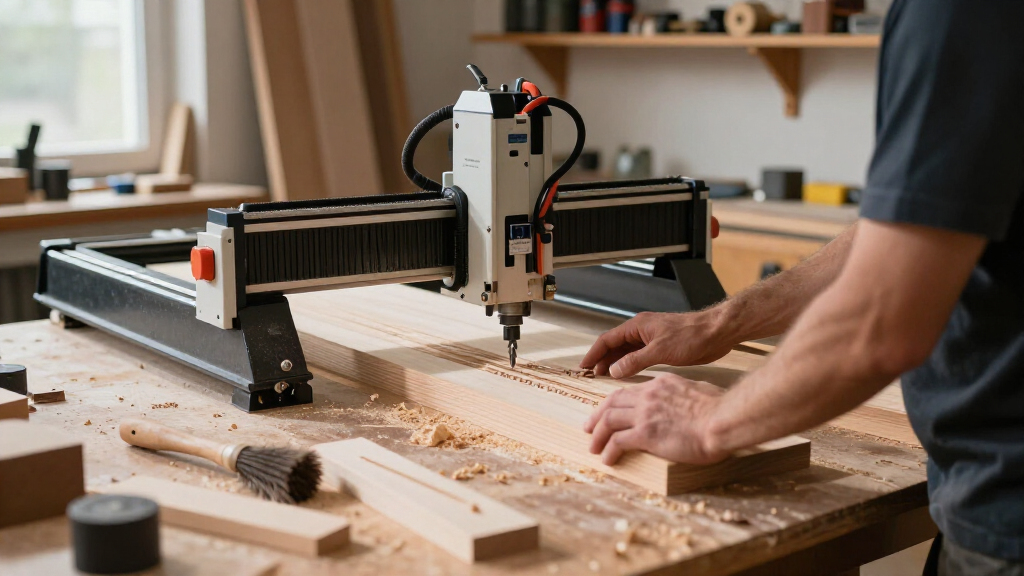
The FoxAlien Masuter Pro is a 3-axis desktop CNC router for makers who want to engrave and cut wood, acrylic, MDF, and nylon without assembling a machine from loose, individually wired parts. Its aluminum frame, linear-rail Z-axis, and 400 × 400 mm work area make it a sturdier, more useful starting point than the smallest entry-level CNC kits. The main drawback is that its cutting area is still limited, and some spindle setups require a separately purchased clamp. It is worth considering for hobbyists who value a rigid, upgradeable platform, but not for buyers who need large workpieces, turnkey cutting power, or a machine sized for production work.

Get tools and workshop supplies delivered free — and shop member deals
- Fast, free delivery on millions of items
- Access to Prime Big Deal Days deals on October 6–7
- Prime Video, Amazon Music and more included

FoxAlien Masuter Pro 3-Axis CNC Router Machine
- ✔ Axes: 3
- ✔ Frame material: Aluminum
- ✔ Work area: 400 × 400 × 60 mm (15.75 × 15.75 × 2.36 in)
Why This Product Stands Out
The Masuter Pro stands out in the desktop CNC segment by putting more emphasis on frame rigidity and a supported Z-axis than on the lowest possible entry price or the smallest footprint. An all-aluminum structure and linear-rail Z-axis are meaningful choices: the cutting head has a more stable base than it would on a flimsy frame, which matters when following detailed paths or making repeated cuts. That construction gives the machine a more serious workshop role than a miniature engraving kit, while keeping it small enough for a bench.
Its pre-wired layout and controller safeguards also make it easier to approach than a machine that expects the buyer to handle extensive wiring from scratch. The 400 × 400 mm bed is a useful step up from compact hobby machines built around much smaller work areas, but it is not generous enough for every sign, furniture component, or full sheet of material. In category terms, the Masuter Pro is a capable middle ground: more substantial than a basic entry kit, yet still a compact, upgradeable hobby router rather than an industrial solution.
That positioning is its appeal and its limit. Buyers can choose compatible spindle arrangements and add a Y-axis extension, but those options are not the same as receiving a fully configured machine for every job. Its value depends on whether the standard work area and included clamp sizes match the buyer’s plans. If those fit, the platform is practical; if not, the upgrades can make a different model more attractive.
Key Features and What They Mean
400 × 400 × 60 mm working area: The bed gives hobbyists enough room for many plaques, small signs, and project parts while keeping the machine compact enough for a bench. That balance benefits makers who want to work on more than tiny engravings but do not have space for a full-size router. The 60 mm Z travel also determines how much room remains for stock, a bit, and fixtures; checking those together helps prevent a project from being too tall to fit. If you regularly make longer pieces, the optional Y-axis extension may help, but it is a separate purchase and does not provide full-sheet capacity.
Aluminum frame and linear-rail Z-axis: A stable frame helps the cutting head follow its planned path instead of flexing as readily under load. For the buyer, that can mean cleaner engraved details and more consistent results across repeated light cuts, especially compared with a flimsy frame. These features are most useful to hobbyists who care about finish quality and repeatability, rather than simply making occasional rough cuts. Rigidity is not a guarantee of industrial-level accuracy: cutters, feeds, workholding, and setup still affect the result.
Pre-wired parts and guided assembly: FoxAlien specifies assembly in about 10–15 minutes, with pre-wired components and a step-by-step manual. This can help a first-time owner get past the mechanical and wiring setup with less uncertainty, leaving more attention for learning design software and CNC operation. The stated time covers assembly, not creating designs, preparing toolpaths, securing material, or setting cutting parameters. It is most valuable to buyers who want a more accessible introduction, not to anyone expecting to skip the learning and preparation required for CNC work.
Spindle compatibility and included clamps: Support for compatible 60 W and 300 W spindle options, plus 52 mm and 65 mm clamps, gives buyers some flexibility to choose a supported spindle size for their hobby work. The practical benefit is a setup that can match the spindle’s diameter securely; a mismatch can mean the tool cannot be mounted as intended. The missing 69 mm clamp matters to buyers who have already selected a spindle that needs that size: confirm the diameter before ordering so the machine does not arrive needing an unexpected extra part.
Controller controls and upgrade path: The emergency stop gives users a direct way to halt operation, while the home button helps return the machine to a reference point. Those controls can make routine tasks easier to understand, particularly for newer operators. The dust-resistant controller offers some protection in a routing environment, but it does not replace dust management or maintenance. An optional Y-axis extension can help owners work on longer pieces, and spindle upgrades offer another way to adapt the setup. These options benefit makers whose needs may grow over time, but they are additional purchases rather than capabilities included with the standard machine.
Performance and Real-World Use
In day-to-day use, the Masuter Pro’s most practical advantage is the combination of bench-friendly size and a comparatively rigid frame. It is suited to work that can be broken into manageable pieces: lettering, decorative patterns, small panels, and modest cuts in compatible materials. Wood, acrylic, MDF, and nylon are listed as suitable materials, but the result will depend on the selected spindle, cutter, workholding, and cutting settings. The listed maximum rotational speed is 10,000 rpm; speed alone does not describe cutting ability, so buyers should not treat that figure as proof that the machine can handle every material or cut depth.
The pre-wired design and brief stated assembly time are attractive for a first CNC, but a CNC remains a tool that calls for a learning period. Users need to prepare designs, choose toolpaths, set the work origin, secure the stock, and manage chips and dust. The emergency stop and home buttons help make the controller more approachable, while the dust-resistant enclosure offers some protection in a debris-producing workspace. It is still sensible to keep dust under control and maintain the machine according to its instructions rather than expecting the controller to be immune to workshop conditions.
The fixed base keeps the layout simple, but it also reinforces the machine’s desktop scale. At 13 kg, the router is substantial enough to occupy a dedicated work surface yet remains movable compared with larger shop equipment. The standard bed is the everyday boundary: the extension can support larger projects, but adds cost and another configuration decision. Likewise, buyers should check spindle diameter before setup, since the included 52 mm and 65 mm clamps do not cover the separately sold 69 mm option. Overall, the machine appears best suited to careful hobby use, not fast production or heavy material removal.
Who Should Buy This
The Masuter Pro makes the most sense for home makers, hobbyists, and small workshop owners who want to create signs, engraved panels, templates, or modest-size parts from wood, acrylic, MDF, or nylon. It is particularly suitable for a buyer moving beyond a very small beginner CNC who values an aluminum frame, a linear-rail Z-axis, and easier assembly more than maximum bed size. It also fits someone comfortable learning CNC software and tool setup, and who may want to add a compatible spindle or Y-axis extension later. Before ordering, check that the standard 400 × 400 mm area and one of the included clamp sizes suit the intended work.
Who Should Skip This
Skip the Masuter Pro if your regular projects exceed its 400 × 400 mm standard work area, if you need a machine ready for large stock without buying an extension, or if you expect sustained production work from a compact desktop router. Buyers who have already chosen a 69 mm spindle should account for the separate clamp or select another configuration. If stronger cutting capability and closed-loop motors are higher priorities, the FoxAlien Masuter 3S with a 400 W spindle is the more relevant alternative to compare. For someone who mainly needs a handheld woodworking router rather than CNC automation, the TEENO compact wood router is a different, more suitable tool category. A buyer seeking a lower-cost, smaller-format CNC may also compare the SainSmart Genmitsu 3018-PROVer V2, while accepting its smaller work area.
Value for Money
The Masuter Pro offers a credible mid-range balance of rigidity, approachable assembly, and useful desktop capacity. Its value is strongest for buyers who will use the 400 × 400 mm bed regularly and benefit from the metal structure and Z-axis support. Those qualities matter more than a long feature list when the goal is to produce repeatable hobby parts without starting with the most basic frame in the category. Its value is less clear if the buyer needs an extension, a different spindle clamp, or a spindle upgrade immediately; once optional parts are part of the plan, it is worth comparing the total setup against a machine that better matches the required capacity from the start.
This is not the default choice for everyone shopping for a CNC. The Masuter 3S is the stronger comparison when a 400 W spindle and closed-loop motors matter more than keeping the configuration simple. The Genmitsu 3018-PROVer V2 may suit someone whose jobs fit a smaller format and whose priority is an entry-level CNC, while a handheld router makes more sense for ordinary edge work and routing that does not require programmed movement. The Masuter Pro is worth buying when its frame, bed size, and upgrade options align with real projects—not simply because it offers room to customize.
FoxAlien Masuter Pro 3-Axis CNC Router Machine
The Masuter Pro stands out in the desktop CNC segment by putting more emphasis on frame rigidity and a supported Z-axis than on the lowest possible entry price or the smallest footprint. An all-aluminum structure and linear-rail Z-axis are meaningful choices: the cutting head has a more stable base than it would on a f
Pros:
- The all-aluminum frame and linear-rail Z-axis provide a firmer platform for engraving and light cutting than a basic, less substantial desktop kit.
- Pre-wired components and a step-by-step manual reduce assembly work, which is helpful for first-time CNC buyers who want to spend less time sorting out wiring.
- A dust-resistant controller with emergency stop and home buttons makes routine operation and stopping the machine more straightforward in a workshop environment.
- The included 52 mm and 65 mm spindle clamps support different compatible spindle sizes without requiring a single fixed configuration.
- An optional Y-axis extension and spindle upgrades provide a path to adapt the machine as project needs change, rather than making the included configuration the only option.
Cons:
- The 400 × 400 mm work area rules out many larger panels and parts unless the user chooses the optional Y-axis extension.
- A 69 mm spindle clamp is not included, so buyers planning to use a spindle that needs that size must account for another purchase and setup step.
- The supplied specifications list compatible 60 W and 300 W spindle options, but buyers seeking more demanding cutting performance may need to upgrade rather than rely on a basic setup.
- This is a three-axis desktop router, not a production machine; its compact travel and modest form factor limit its usefulness for large, repetitive, or heavy-duty work.
Best for: Makers and small workshops wanting a rigid desktop CNC for signs, engraving, and modest-size wood or acrylic projects.
Not ideal for: Buyers working with large stock, needing a 69 mm spindle clamp out of the box, or seeking a more capable spindle and closed-loop motor system without upgrades.
Bottom line: Buy the FoxAlien Masuter Pro if you want a rigid, upgradeable desktop CNC for hobby-scale engraving and cutting, and the standard 400 × 400 mm bed covers the work you expect to do.
Frequently Asked Questions
Is the FoxAlien Masuter Pro suitable for a first CNC router?
It can suit a first-time buyer who is ready to learn design software, toolpaths, workholding, and cutting settings. Pre-wired components and a step-by-step manual simplify assembly, but they do not remove the normal learning curve of CNC work.
What size projects can the Masuter Pro handle?
The standard work area is 400 × 400 × 60 mm, or about 15.75 × 15.75 × 2.36 inches. That supports many small signs, plaques, and parts, but larger projects may need the optional Y-axis extension or a different machine.
Does the Masuter Pro include a 69 mm spindle clamp?
No. The included clamps are 52 mm and 65 mm. Buyers using a spindle that requires a 69 mm clamp need to purchase that clamp separately, so check the spindle’s diameter before choosing a setup.
Should I choose the Masuter Pro or the FoxAlien Masuter 3S?
Choose the Masuter Pro if its work area, included configuration, and upgradeable desktop format match your projects. Compare the Masuter 3S with closed-loop motors and a 400 W spindle if those capabilities are a higher priority than sticking with the Pro’s more basic configuration.
Is the optional Y-axis extension necessary?
Not for projects that fit within the standard 400 mm length. The extension matters when you regularly work on longer pieces; it is an additional component rather than part of the standard work area, so include it in the decision if your usual stock is larger.
Final Thoughts
Buy the FoxAlien Masuter Pro if you want a rigid, upgradeable desktop CNC for hobby-scale engraving and cutting, and the standard 400 × 400 mm bed covers the work you expect to do. Its aluminum frame, linear-rail Z-axis, pre-wired setup, and useful controller buttons make it a stronger prospect than a minimal starter kit for a buyer prepared to learn CNC workflows. Skip it if large projects are routine, if you need a 69 mm clamp included, or if you want more demanding cutting capability without upgrades. For those buyers, compare the Masuter 3S or choose a tool built around the required work size. The Masuter Pro is a considered purchase for the right workshop, not a universal desktop CNC recommendation.
Halloween Picks
halloween
As an affiliate, we earn on qualifying purchases.